
 Credit & Debit Card
  E-Wallet
  Cryptocurrency
  Online Banking

Checkout with Bank Rakyat Indonesia
1Select Bank Rakyat Indonesia as your preferred checkout method. Check your shopping cart details and click pay now.

2Fill in your payment details.

3Click "PROCEED" to continue.

4Order is placed.
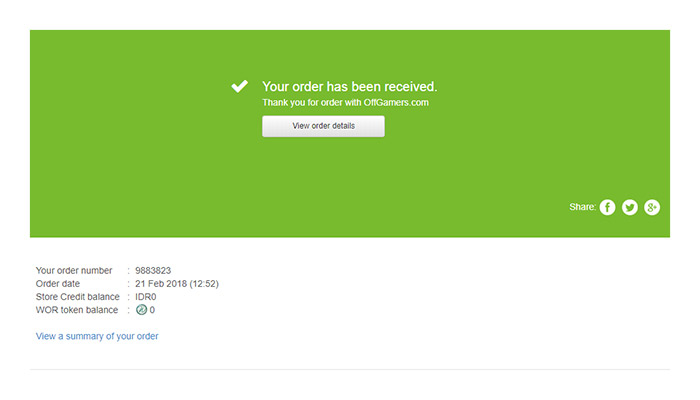
5In the BRI ATM Main Menu, choose “TRANSAKSI LAIN”.

6Continue by choosing “TRANSFER”.

7Choose “BRI” as your bank account destination.

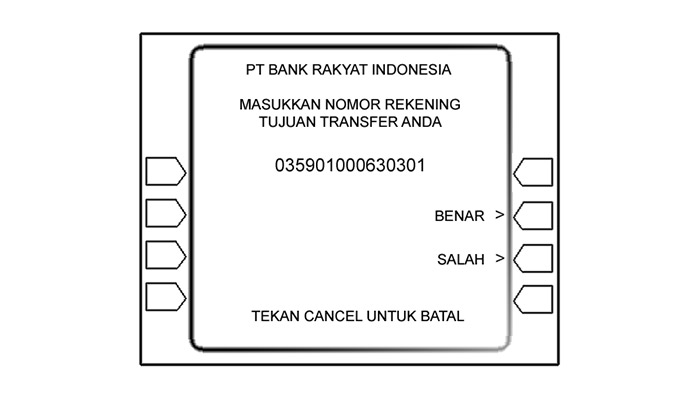
8Input INDOMOG account number listed in your payment instructions, then choose “BENAR”.
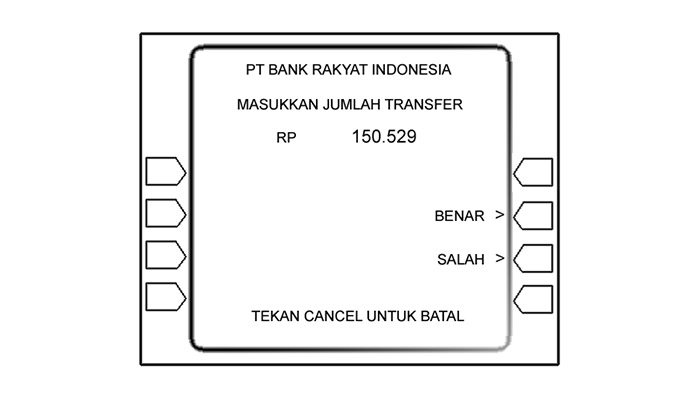
9Input the nominal listed in your payment instructions, then choose “BENAR”.
10Your Transfer Summary will be displayed, choose “YA” to confirm transfer.

Important: Please allow our website to fully load once your transaction is completed to prevent floating orders.


