
 Credit & Debit Card
  E-Wallet
  Cryptocurrency
  Online Banking

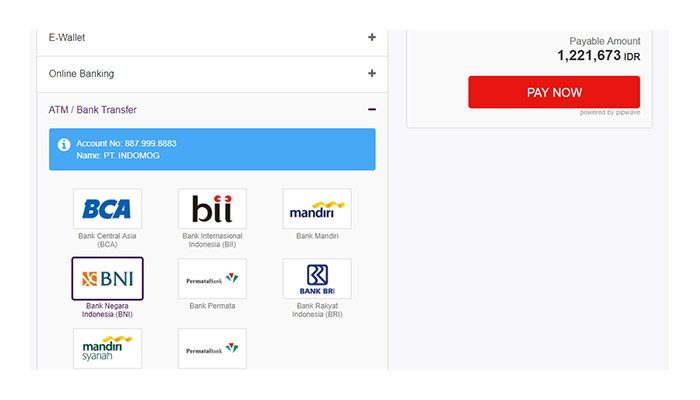
1Select Bank Negara Indonesia as your preferred checkout method. Check your shopping cart details and click pay now.
2Fill in your payment details and follow the instructions on the screen to complete the transaction.
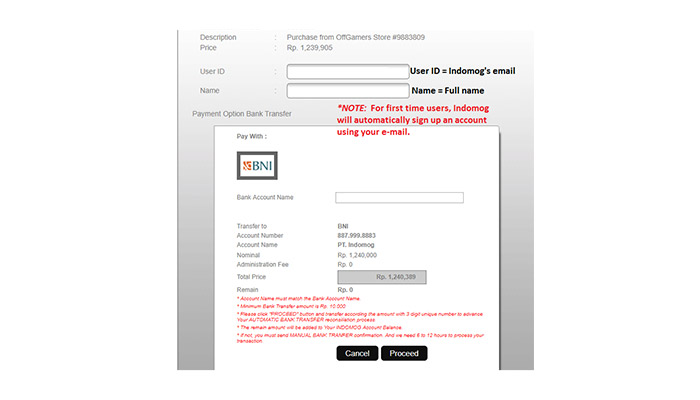
3Click "PROCEED" to continue.
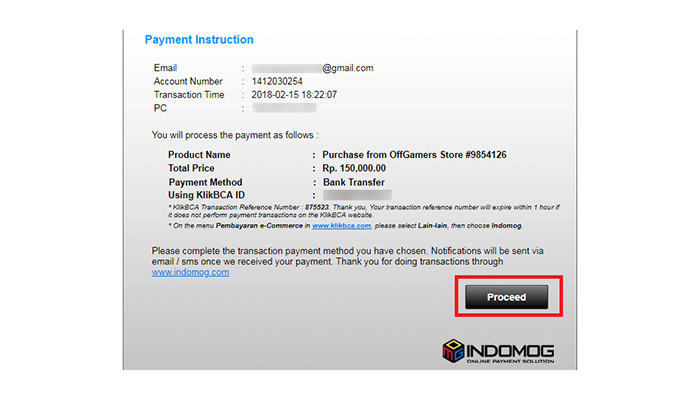
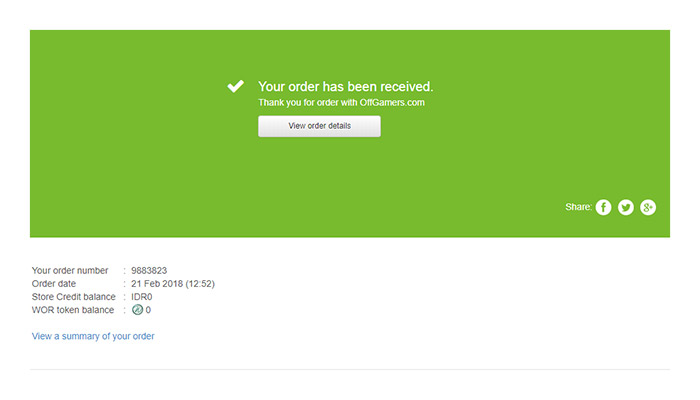
4Order is placed.
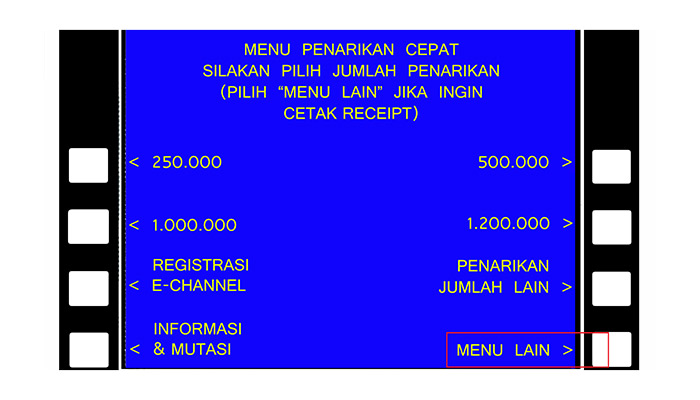
5In the BNI ATM Main Menu, choose “MENU LAIN”.
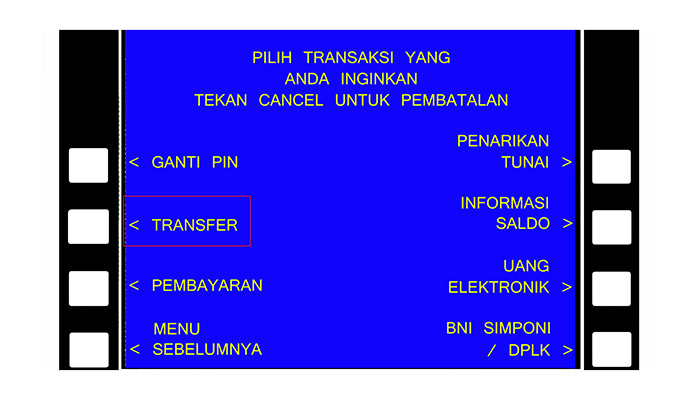
6Proceed by choosing “TRANSFER”.
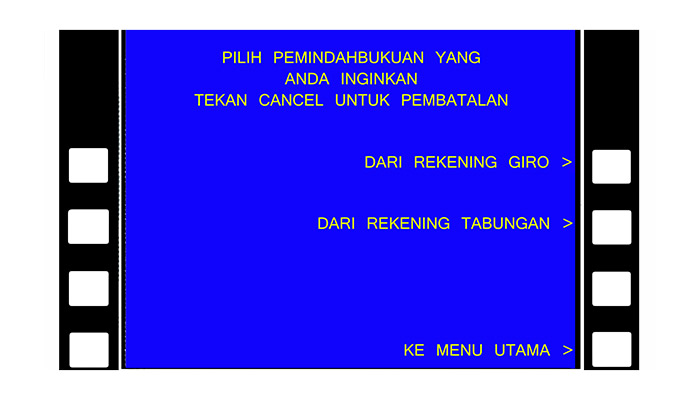
7Choose the account you want to use.
8Choose “KE REKENING BNI” as your transfer destination.

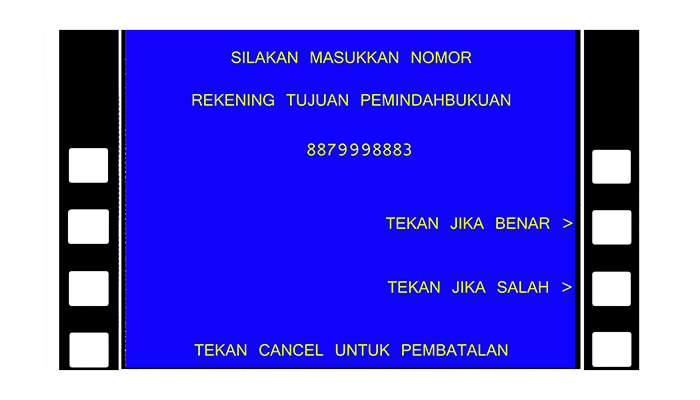
9Input INDOMOG account number listed in your payment instructions, then choose “BENAR”.
10Input the nominal listed in your payment instructions, then choose “BENAR”.
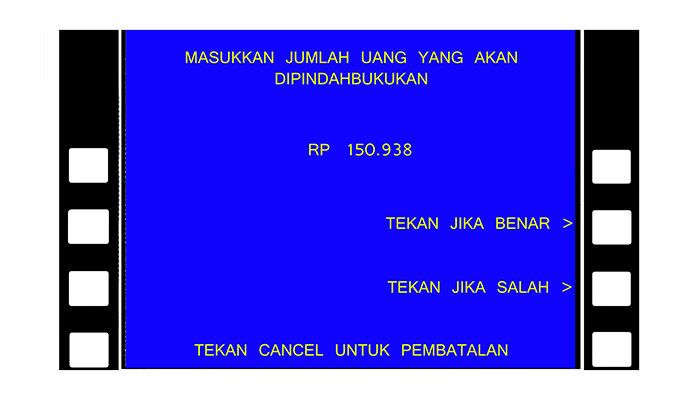
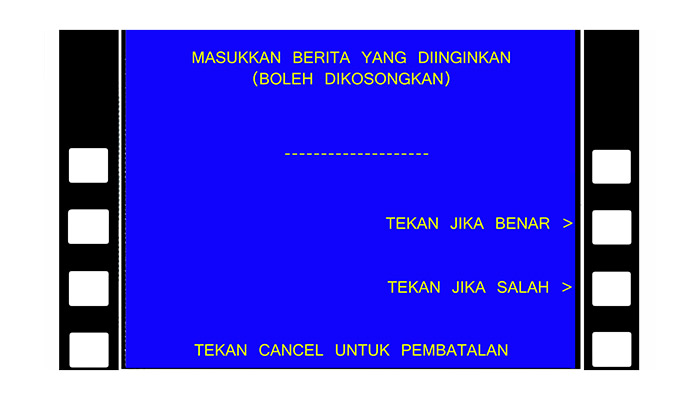
11Skip news by choosing “”TEKAN JIKA BENAR”.
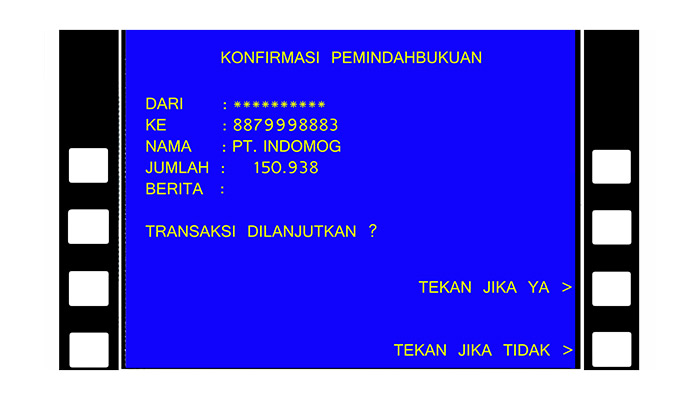
12Your Transfer Summary will be displayed, choose “TEKAN JIKA YA” to proceed transfer.
Important: Please allow our website to fully load once your transaction is completed to prevent floating orders.


